
🔥 20% Off Loyalty Incentive Tier
Custom Loyalty Cards & Program
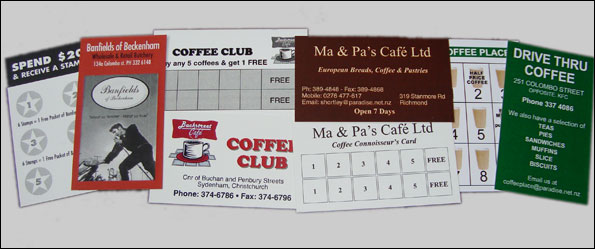
Having your own business or franchise can be stressful. Wouldn’t it be great to have regular customers and be assured of a stable income stream? Repeat custom is almost guaranteed when you offer your clients a clear incentive—like a free muffin with their 6th latte!
📞 Call 03 365 4516 To Order Now- 🏷️ Our 20% Client Incentive: Order your business loyalty cards every 6 months and we will give you an immediate 20% discount voucher valid for your next run!
- 🪵 Sturdy Card Materials: Printed on premium, heavy-duty 350gsm card stock with full colour on the front and black ink layout on the reverse.
- ☕ Christchurch Personal Delivery: Can’t pick them up? We offer free nationwide courier delivery. Plus, if you are local to Christchurch, we can personally drop them off to your shop floor after work!
- ⏱️ Same Day Turnaround: Call or email us your re-order and you will have your loyalty cards in your hands the exact same day, or next business morning at the latest.
👇 Scroll down to review our bulk quantity price matrices and click a link to order.


Canva
How to Export Print-Ready Artwork from Canva
Follow these crucial steps before exporting to ensure your design doesn’t get cut off during our same day commercial trimming process.
- 1. Turn on Bleeds in Canva: Inside your Canva project, click File > View settings and make sure “Show print bleed” is ticked. Ensure your background images stretch all the way to the outer border line.
- 2. Download with Correct Settings: Click the Share button in the top right corner, then tap Download.
- 3. Select “PDF Print” Profile: Change the File Type dropdown to “PDF Print” (do not choose standard PDF, PNG, or JPG as they degrade your printing quality).
- 4. Check the Bleed Boxes: Tick the box that says “Crop marks and bleed”. Leave the Color Profile set to CMYK if you have Canva Pro, or RGB if using the free tier (our press software will automatically convert it safely).
What else would you like to know? Email us with your questions re Loyalty Cards
Compare all Specials products